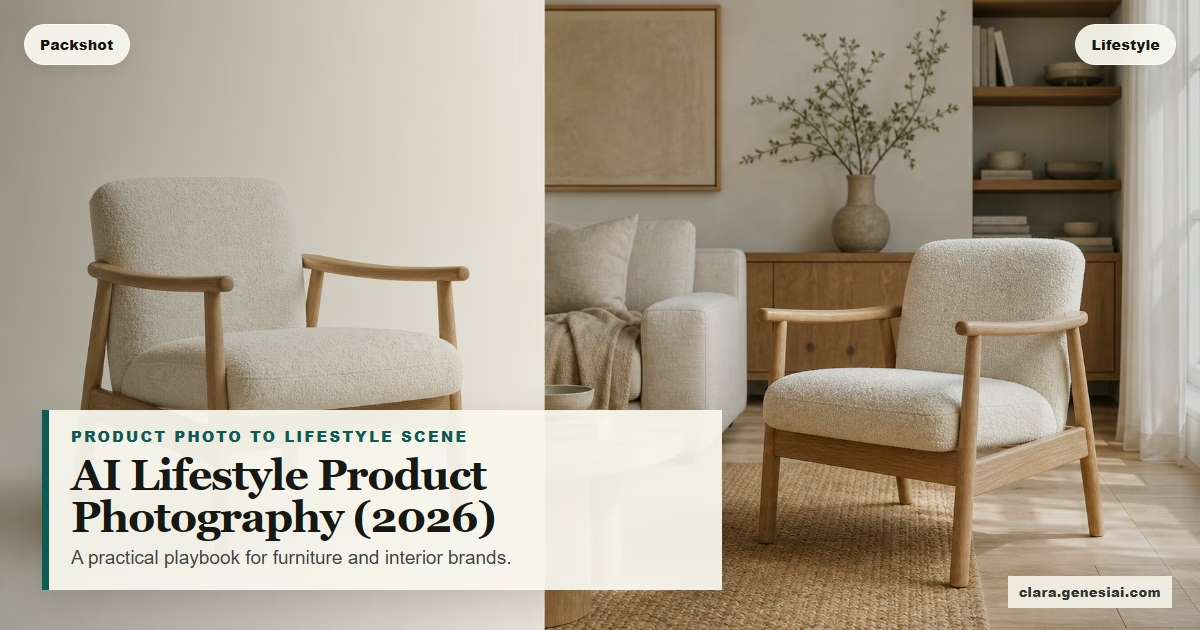
AI Lifestyle Product Photography in 2026: The Practical Playbook for Furniture & Interior Brands (No Studio Required)
 Amanda Mao
If you sell furniture or interior products online, you’re not competing on product specs alone. You’re competing on visual confidence.
Your customer needs to see your product in a believable, real-world context:
How big it feels in a room
How the texture reads in natural light
Whether the style fits their taste
How it works with the kinds of homes they’re browsing right now
That’s why “lifestyle product photography” has become the real battleground for ecommerce. The problem is that traditional lifestyle shoots don’t scale—especially if you have a growing catalogue, multiple collections per year, or a high cadence for paid social and email.
This guide is a practical 2026 workflow for creating photoreal lifestyle product visuals at speed—without turning your brand into generic AI filler, and without implying that AI replaces professional photographers.
We’ll also show where Clara fits: an AI-powered visual transformation platform that turns ordinary product images into commercially useful visuals for product pages, ads, listings, social, and client presentations.
---
Why lifestyle images matter more in 2026 (and not just on Instagram)
In 2026, lifestyle images aren’t “nice to have.” They’re increasingly supported across commerce surfaces.
For example, Google Merchant Center supports a dedicated attribute for lifestyle imagery. A lifestyle image is explicitly framed as an image that shows a product in a real-world context (e.g., furniture staged in a room), helping shoppers understand the product in use. Source: Google Merchant Center Help — lifestyle image link attribute: https://support.google.com/merchants/answer/9103186
That matters for brands because it signals a broader shift:
“Packshot-only” content is less competitive for discovery
In-context images help close the imagination gap (“Will this work in my home?”)
Brands need multiple visual variations to keep listings and campaigns fresh
At the same time, the marketing world is facing a content supply chain problem: more channels, more creative variants, more personalization, and shorter cycles. Major marketing platforms are explicitly investing in systems to help teams scale content creation while staying on brand. Source: Adobe GenStudio / Brand Intelligence announcement: https://news.adobe.com/news/2026/04/adobe-introduces-brand-intelligence
If you’re a furniture brand or showroom, this creates a hard requirement: you need more lifestyle content—faster—without losing quality.
---
The real challenge: lifestyle images are expensive because they’re logistics
When brands say “lifestyle photos are expensive,” the cost isn’t just the photographer.
It’s everything around them:
Scheduling talent, styling, set build, props, transport
Securing a location or building a set
Coordinating revisions
Reshooting when you need new angles, new seasons, or new channel ratios
And even after you invest in the shoot, you still have a second problem: most lifestyle images are one aesthetic.
But shoppers don’t have one aesthetic. In 2026, style tastes are more fragmented and trend cycles move fast. Pinterest, for example, positions Pinterest Predicts as a data-backed way to get ahead of emerging aesthetics—useful for planning visual content themes and creative direction. Source: Pinterest Create — 2026 Pinterest Predicts content ideas: https://create.pinterest.com/en-us/blog/2026-pinterest-predicts-trends-and-content-ideas/
So if your brand wants to speak to more than one buyer “taste cluster” (minimal, warm modern, neo-deco, rustic, etc.), you either:
reshoot (slow + costly), or
reuse the same shoot everywhere (scroll fatigue + diminishing returns), or
build a workflow that creates multiple believable contexts from a smaller set of base assets
That last option is where modern image transformation tools fit.
---
What “AI lifestyle product photography” should mean (and what it should NOT mean)
AI lifestyle product photography is often described poorly. For furniture and interior brands, a practical definition is:
Start with a real product image → transform it into multiple lifestyle scenes that look photoreal, brand-appropriate, and commercially usable.
This is not the same as:
“making up” a product that doesn’t exist
inventing details that change what a customer receives
producing visuals that look like a game render
The goal is persuasive clarity, not deception.
If you’re selling on marketplaces, you also want to align with platform policies and best practices. Google, for example, notes that generative-AI images should preserve metadata indicating AI generation (e.g., IPTC DigitalSourceType tags) and warns against removing embedded metadata. Source: Google Merchant Center — product data specification: https://support.google.com/merchants/answer/7052112
In other words: treat AI imagery as a production workflow—not a hack.
---
A 2026 playbook: how to create lifestyle product images at scale (without losing brand quality)
Below is a workflow you can run weekly. It’s designed for furniture brands, showrooms, and interior ecommerce teams who need consistent output.
Step 1) Define the “visual job” of the image (PDP vs ads vs social)
Lifestyle imagery fails when teams try to use one image for every channel. Start by deciding what you’re producing:
Product page (PDP): clarity, trust, and material accuracy
Google / shopping surfaces: clear context + strong read at small sizes
Paid social: thumb-stopping scenes + specific angle or benefit
Email: seasonal story + limited distractions + strong crop safety
Organic social: variety and narrative (before/after, styling, “in real homes”)
This matters because it determines:
how “busy” the scene can be
the lighting and mood
the amount of negative space for overlays
the aspect ratios you need (1:1, 4:5, 9:16, 16:9)
Step 2) Build a base asset pack (one afternoon per collection)
You don’t need a full studio day to create strong base assets. You need:
clean product
good natural window light
multiple angles
a consistent “source” look (so output is consistent across SKUs)
Create a base pack per SKU:
1 “hero” angle (front/3-quarter)
1 alternative angle
1 detail crop (material, joinery, texture)
If you can, also capture:
a simple measurement reference (helps prevent unrealistic scale outputs)
a consistent background style (e.g., plain wall, consistent floor)
Step 3) Decide your scene themes (3–5 aesthetics per batch)
Pick 3–5 lifestyle “themes” you can reuse across products. In 2026, this is where trend signals help—not as “copy this trend,” but as directional mood boards.
Example theme set for a furniture brand:
Warm modern (natural light, wood, soft neutrals)
Minimal gallery (clean, high-contrast, premium negative space)
Neo-deco / glam accents (brass, jewel tones, confident curves)
Relaxed family home (more lived-in, relatable scale cues)
Boutique hospitality (hotel lobby / suite vibe for premium aspiration)
If you want trend cues, use sources like Pinterest Predicts as inspiration for which aesthetics people are searching and saving, then translate those into your brand’s version. Source: https://create.pinterest.com/en-us/blog/2026-pinterest-predicts-trends-and-content-ideas/
Step 4) Generate lifestyle scenes with Clara (the “no heavy prompting” workflow)
Clara is designed to turn ordinary images into persuasive visuals—without requiring expert prompting.
A practical workflow for a weekly batch:
1. Upload your base product image ((Please make sure “Lifestyle Mode” is on).
2. Choose a room type (living room, bedroom, dining, office).
3. Choose a style theme aligned to your brand.
4. Generate multiple variations.
5. Pick 1–2 winners per theme.
Where Clara shines for ecommerce teams:
Speed: you can create multiple environments quickly
Variety: you can test multiple aesthetics without reshooting
Commercial usefulness: outputs are made for listings, ads, and presentations
Guardrails (important):
Don’t show configurations you can’t deliver (e.g., wrong legs, wrong fabric) — reject those variants.
Avoid adding elements that change the product (e.g., adding storage to a table).
Use the same product image/angle when you need a “series” feel.
Step 5) Apply a quality control checklist (the part most teams skip)
AI lifestyle imagery wins when it passes a human “believability + brand” check.
Use this quick QC list:
Product accuracy: silhouette and key details match your SKU (no extra seams, no altered shape)
Material integrity: textures look plausible (no melting wood grain, no fuzzy edges)
Scale sanity: the object doesn’t feel too large or too tiny compared to doors, windows, chairs
Shadow + contact: product feels grounded (no floating)
Perspective: lines are consistent; no impossible geometry
Brand fit: colors and scene styling align with your premium positioning
Crop safety: works for the channel ratios you need
If an image fails QC, don’t “force it.” Generate again.
Step 6) Build variants for performance testing (without exploding workload)
Instead of trying to create 30 random variations, create structured variants:
same SKU + same angle
same room type
change only one variable (lighting, background style, props density)
This lets you learn what actually drives results instead of creating noise.
Step 7) Prepare images for commerce surfaces (including Google)
If you use Google Merchant Center feeds, review Google’s guidelines for:
minimum resolutions
avoiding promotional text overlays
ensuring the image focuses on the product in use
generative-AI metadata preservation where applicable
Sources:
Lifestyle image attribute guidance: https://support.google.com/merchants/answer/9103186
Product data spec: https://support.google.com/merchants/answer/7052112
Step 8) Repurpose into a “one SKU, many channels” kit
From one base product image, you can create:
1 PDP lifestyle image (clean + high trust)
1 Google Shopping lifestyle image (simple context, strong readability)
1 paid social variant (strong mood or specific hook)
1 email header crop (negative space for copy)
1 organic social post (before/after transformation angle)
This is the real unlock: one product photo becomes a full campaign kit.
---
Examples: 4 furniture/ecommerce use cases where Clara fits naturally
1) New collection launch (fast)
Use Clara to produce:
3 lifestyle scenes per hero SKU
one scene per theme (warm modern / minimal / neo-deco)
Then run:
a carousel ad showing the same product in 3 rooms
an email featuring “pick your vibe”
2) Marketplace listing refresh (low friction)
Create:
one clean lifestyle scene per top seller
one seasonal variant (summer light / winter cozy)
Keep copy honest: “styled digitally” or similar wording if needed
3) Showroom follow-ups (close the imagination gap)
When a shopper visits your showroom, the fastest path to conversion is helping them picture it at home. With Clara, you can:
take a quick product photo
generate a believable in-home scene
send a follow-up with 2–3 visual options
This supports your sales team; it doesn’t replace physical showrooms.
4) Paid social creative testing (without reshoots)
Test:
same SKU, three aesthetics
one hook per aesthetic
Then keep winners and retire losers quickly.
---
Common mistakes (and how to avoid them)
Mistake: Using AI imagery as a shortcut for bad product inputs
If your base image is blurry or poorly lit, you’ll get inconsistent outputs. Invest 20 minutes in your base assets first.
Mistake: Letting scenes drift off-brand
If you’re premium, don’t accept “cheap showroom” vibes. Keep:
clean typography overlays
restrained props
consistent palettes
Mistake: Not thinking about platform requirements
If you plan to use images in shopping surfaces, review the relevant image requirements and metadata expectations. Source: https://support.google.com/merchants/answer/7052112
---
A simple “start this week” checklist
If you want a low-friction start:
1. Pick 5 top-selling SKUs.
2. Capture a clean base image pack (hero + alt + detail).
3. Choose 3 scene themes.
4. Generate 6–10 lifestyle variations in Clara.
5. Run QC and keep only the best.
6. Export channel crops (PDP, Google, social).
7. Track what performs, then scale to 20 SKUs.
---
CTA: create your first lifestyle scene in Clara
If you want to see how this workflow feels in practice, start with one product photo and generate a few lifestyle scenes.
Try Clara: https://clara.genesiai.com
If you’re an interior brand or showroom: use Clara to turn a single product image into a small library of campaign-ready visuals—without scheduling a full shoot every time.