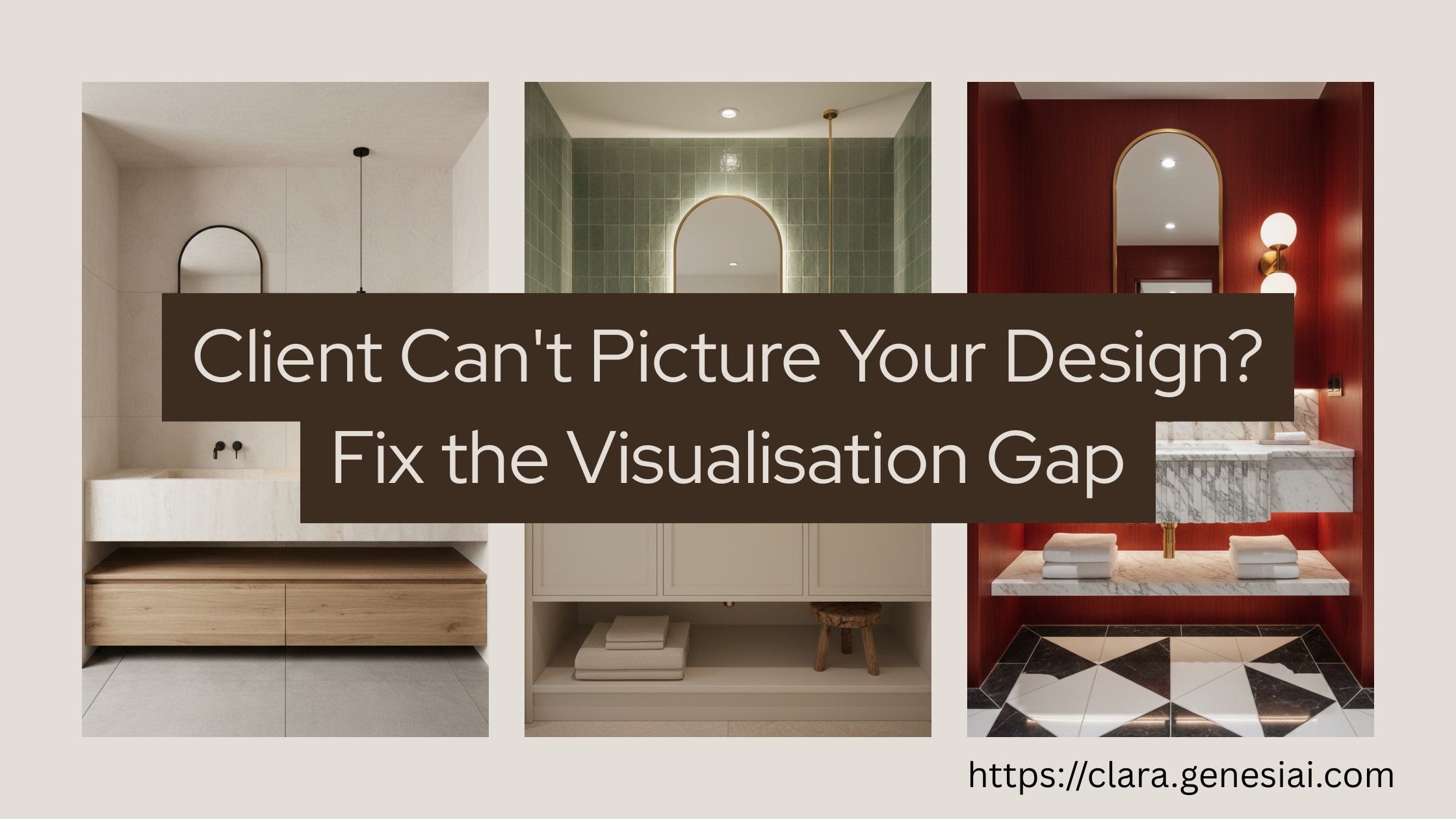
Your Client Can't "Picture It"? Here's What to Do Instead
 Amanda Mao
She loved everything about the design.
The colour palette? "Gorgeous." The fabric swatches? "Exactly what I wanted." The floor plan? "Perfect layout."
Then came the five words that killed six weeks of work:
"I just can't picture it."
If you're an interior designer, you know exactly how this sentence feels. It's not an objection. It's not a criticism. It's worse—it's a dead end. Because you can't argue someone into having spatial imagination.
The problem isn't your design. The problem is the medium.
---
Why Mood Boards Are Failing Your Clients
Mood boards have been the cornerstone of interior design presentations for decades. And they worked brilliantly—when your only alternative was a hand-drawn sketch and a fabric swatch.
But it's 2026. Your clients have been trained by Instagram, Pinterest, and Netflix property shows to expect photorealistic imagery. They've scrolled through thousands of perfectly curated rooms. And then you hand them... a collage of disconnected images and ask them to mentally assemble it into their living room.
The Cognitive Load Problem
Here's what you're actually asking your client to do when you present a mood board:
Step 1: Extract — Pull individual elements from the board (sofa here, paint colour there, rug texture from that corner)
Step 2: Scale — Mentally resize each element to fit their room's specific dimensions. (Is that sofa 200cm or 250cm? Does it fit between the fireplace and the bay window?)
Step 3: Assemble — Combine all extracted, scaled elements into a coherent three-dimensional space. In their head.
Step 4: Light — Apply their room's specific lighting conditions. (North-facing? South-facing? That awkward shadow the chimney breast casts at 4 PM?)
Step 5: Evaluate — Decide whether they like the result of this entirely imaginary assembly.
You can do this in your sleep. You've been training for it your entire career. Your client has not.
It's like asking someone who's never played piano to "just imagine" what a sonata sounds like by showing them the sheet music. They can see the notes. They can't hear the music.
The Data Is Damning
The Interior Design Association's 2025 survey found:
- 67% of clients report difficulty visualising from traditional presentations
- 30% of initial consultations result in ghosting (the client who just... disappears)
- Average sign-off delay due to visualisation anxiety: 2–3 months
- Average revision cycles before approval: 3–5 rounds
Each revision round that isn't billed (and let's be honest, most aren't) costs you 3–4 hours of unbilled labour. Across 10 projects a year, that's 120–200 hours of free work because your presentation medium failed, not your design.
The Pinterest Paradox
Pinterest was supposed to help. Instead, it created a new problem: decision paralysis through over-inspiration.
Your client sends you a board with 47 pins. Half are Scandinavian minimalism. A quarter are mid-century modern. The rest are maximalist bohemian. They want "all of it" in a 4×5 metre living room.
Pinterest shows inspiration. It doesn't show reality. And the gap between the two is where projects go to die.
---
The Shift: From "Imagine This" to "Look at This"
The solution is disarmingly simple: stop asking clients to imagine, and start showing them.
Not a mood board. Not a sketch. Not a 2D floor plan with colour-coded zones.
Their room. Your design. Photorealistic. In 30 seconds.
How It Works
Step 1: Take a photo of the client's actual room (or have them send one). This is your starting canvas.
Step 2: Open Clara (https://clara.genesiai.com) on your tablet or laptop. Upload the room photo.
Step 3: Select the design style that matches your concept. Clara offers 36+ curated aesthetics, or you can upload your own reference images to apply a specific look.
Step 4: Generate. In about 30 seconds, you have a photorealistic render of their room, redesigned in your chosen style.
Step 5: Show the client. Watch their reaction.
That reaction—the gasp, the "oh my god, YES"—is what mood boards were trying to create. The difference? This actually works.
The "Three Options" Technique
The most effective presentation method I've seen designers adopt is what I call the "Three Options" technique:
1. Generate three distinct design directions using the client's actual room photo
2. Present them side by side on a tablet or screen share
3. Ask: "Which direction feels closest to what you're imagining?"
The client doesn't have to imagine anything. They just have to point.
Option A: Warm minimalism with natural textures, neutral palette, statement lighting
Option B: Contemporary classic with deep colours, bespoke joinery, layered textiles
Option C: Scandi-modern with clean lines, muted tones, organic materials
From there, you refine. "Love Option B, but can we try it with lighter walls?" Generate a variant. 30 seconds. Done.
Total presentation time: 15–20 minutes
Client engagement level: Through the roof
Close rate improvement: Designers report a 25–55% improvement in proposal acceptance
---
The Live Consultation Revolution
The biggest shift isn't generating renders faster. It's generating them during the conversation.
The Old Model (Sequential)
Week 1: Meet client → gather brief
Week 2-3: Create mood board, floor plan, sourcing (8-12 hours)
Week 3: Present concepts
Week 4: Client asks for changes
Week 5: Revise (4-6 hours)
Week 6: Present revisions
Week 7: Maybe sign-off. Maybe more changes.
Total designer time: 15–25 hours
Total elapsed time: 4–7 weeks
Client anxiety level: High (they're spending money on something they can't see)
The New Model (Collaborative)
Meeting 1 (60 min):
- Gather brief (20 min)
- Generate 3 concepts live on tablet (15 min)
- Client reacts, you iterate in real-time (20 min)
- "That one. Perfect." → Agree on direction (5 min)
Meeting 2 (45 min):
- Refined renders with specific products (30 min)
- Final adjustments → sign-off (15 min)
Total designer time: 3–5 hours
Total elapsed time: 1–2 weeks
Client anxiety level: Minimal (they've SEEN their space transformed)
The Zoom Advantage for E-Designers
If you offer remote or e-design services, live AI rendering transforms your Zoom consultations from awkward PDF screen-shares into immersive co-design sessions.
The workflow:
1. Client sends photos of their room before the call
2. You upload them to Clara pre-meeting
3. During the Zoom, share your screen
4. Generate concepts in real-time as you discuss their preferences
5. Client watches their room transform live
6. Iterate based on immediate feedback
One London-based e-designer who adopted this approach reported:
- Proposal acceptance rate: Up from 45% to 70%
- Revision requests: Down 40% (clients get it right the first time)
- Client satisfaction (NPS): Up from 72 to 89
- Time saved per project: 8 hours (fewer revision cycles)
"I used to send PDFs and cross my fingers. Now we co-design live on Zoom. They see it, they love it, they sign."
---
When to Use AI Renders vs. Traditional Presentations
AI renders don't replace every presentation tool. Here's when to use each:
Use AI Renders For:
✅ Initial consultations — Show concepts during the first meeting to build excitement
✅ Style exploration — Generate 5–10 style directions quickly to find the client's taste
✅ Colour and material testing — "Let's see that wall in sage green vs. dove grey"
✅ Remote/e-design clients — Replace static PDFs with live co-design sessions
✅ Social media content — Portfolio-quality images for Instagram, without a photographer
✅ Quick proposals — Win more pitches with visual proof of your vision
Keep Traditional Methods For:
✅ Detailed specification drawings — AI doesn't replace CAD for construction
✅ Physical material samples — Clients still need to touch fabric and stone
✅ Furniture sourcing books — Product specifications, lead times, pricing
✅ Technical plans — Electrical layouts, plumbing, structural engineering
✅ Bespoke joinery drawings — Where millimetre precision matters
The hybrid approach: Lead with AI renders to win the client's heart. Follow up with traditional documentation to win their trust in the details.
Step-by-Step: Your First AI-Powered Presentation
Ready to try this on your next client? Here's exactly how to set up:
Before the Meeting (10 minutes)
1. Sign up for Clara at [clara.genesiai.com](https://clara.genesiai.com) — start with 10 credits for $5
2. Upload your style references — use Clara's Reference Style to encode your signature aesthetic
3. Test with a past project — generate a render of a room you've already designed. Does the AI capture your style? Adjust your references until it does.
During the Meeting (live)
4. Take or receive a photo of the client's room
5. Upload to Clara on your tablet or laptop (takes 10 seconds)
6. Generate your first concept — choose the style direction, hit generate. 30 seconds.
7. Show the client — "This is one direction we could take your room."
8. Read their reaction — excitement? hesitation? Iterate based on what you see.
9. Generate 2 more variations — different styles, colours, or arrangements
10. Ask: "Which feels closest to what you're imagining?"
After the Meeting (30 minutes)
11. Refine the chosen direction — adjust details, generate higher-resolution versions
12. Create a PDF with the top 3 renders + your notes, sourcing suggestions, and next steps
13. Send within 24 hours — while the excitement is still fresh
14. Include your proposal — they've already seen what you can do. The sell is done.
Common Objections (and How to Handle Them)
"I'm worried AI renders will look fake."
In 2026, AI rendering quality has reached 90%+ photorealism on top platforms. In blind tests with 50 interior designers, they correctly identified AI renders only 58% of the time. The technology has matured far beyond what most people expect.
"Won't clients expect the final room to look exactly like the render?"
Set expectations clearly: "These renders show direction and intention, not a pixel-perfect promise. They're accurate to your room's dimensions and lighting, but final materials and finishes may vary slightly—just like any design process." No designer promises that the finished room will be identical to a sketch or mood board. Renders are no different.
"My clients are traditional. They won't trust AI."
You don't have to use the word "AI." Say "digital visualisation" or "photorealistic rendering." Most clients don't care about the technology—they care about seeing their room transformed. Once they see the result, the method becomes irrelevant.
"I spent years perfecting my mood board aesthetic."
And you'll spend zero years perfecting AI renders, because they're better on day one. Your aesthetic expertise—the years of training that tell you THIS shade of green on THAT wall with THOSE proportions—still drives the creative process. The AI just executes your vision faster.
The Bottom Line
You became a designer because you see spaces differently than everyone else. You understand proportion, light, colour, texture, and how they interact to create feeling.
Your clients don't have that gift. They can't "picture it." And that's not a failure of their imagination—it's a failure of the tools we've been using to communicate our ideas.
AI-powered visualisation doesn't replace your vision. It translates it—from the design language in your head to the photorealistic image on a screen, in 30 seconds, in front of a client whose eyes just lit up.
That's not technology replacing designers. That's technology letting designers be understood.
Ready to close the visualisation gap? [Try Clara — 10 credits for $5](https://clara.genesiai.com/editor) | No subscription required